

How to Disable automatic indexing in Optimizely Search & Navigation
When you publish, move, delete, or edit a content item in Optimizely CMS, it triggers automatic indexing in Search & Navigation, if indexing is enabled.
How does event-based indexing work?
Items are added to a queue and processed asynchronously. This queue is stored in the database table tblFindIndexQueue.
If a page is deleted, moved, or its URL segment is updated, the cascade flag is set to true. This means that all child items must also be reindexed.
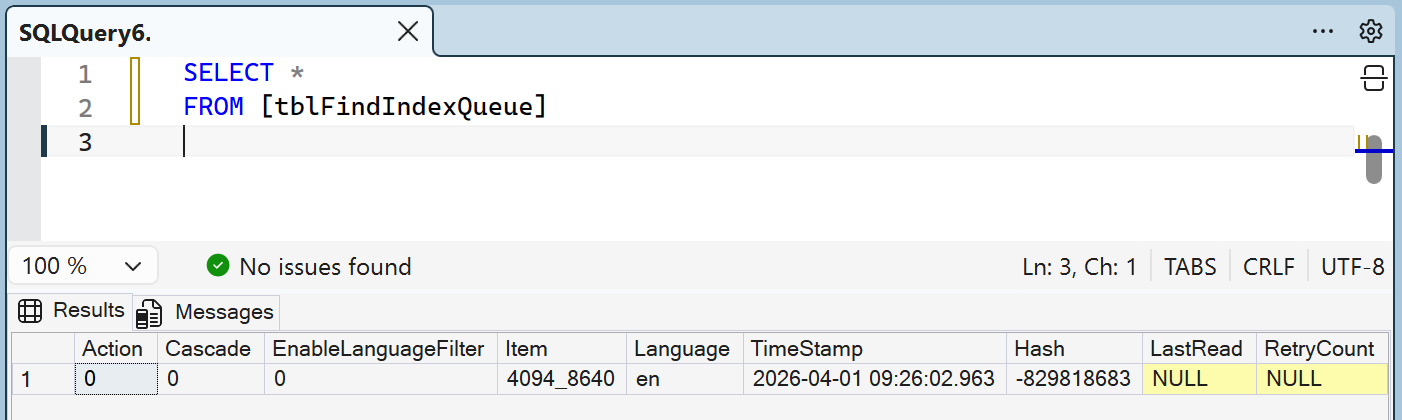
Disabling event-based indexing
You can prevent items from being added to the queue like this:
public void ConfigureServices(IServiceCollection services)
{
    services.Configure<FindCmsOptions>(x =>
    {
        ...
        x.DisableEventedIndexing = true;
        ...
    });
}
Disabling queue processing (but still collecting items)
If you want to continue adding items to the queue, but stop processing them:
public void ConfigureServices(IServiceCollection services)
{
    services.Configure<FindCmsOptions>(x =>
    {
        ...
        x.DisableScheduledPageQueue = true;
        ...
    });
This means the queue will not be processed, allowing you to inspect and debug what’s happening.
Found this post helpful? Help keep this blog ad-free by buying me a coffee! ☕