QuietPad Notepad for Windows 11, without AI or tabs
A free, quiet notepad. The look of Windows Notepad, without AI, Copilot, tabs or sign-in, and with the search and replace of Notepad++.
Loading the latest version…
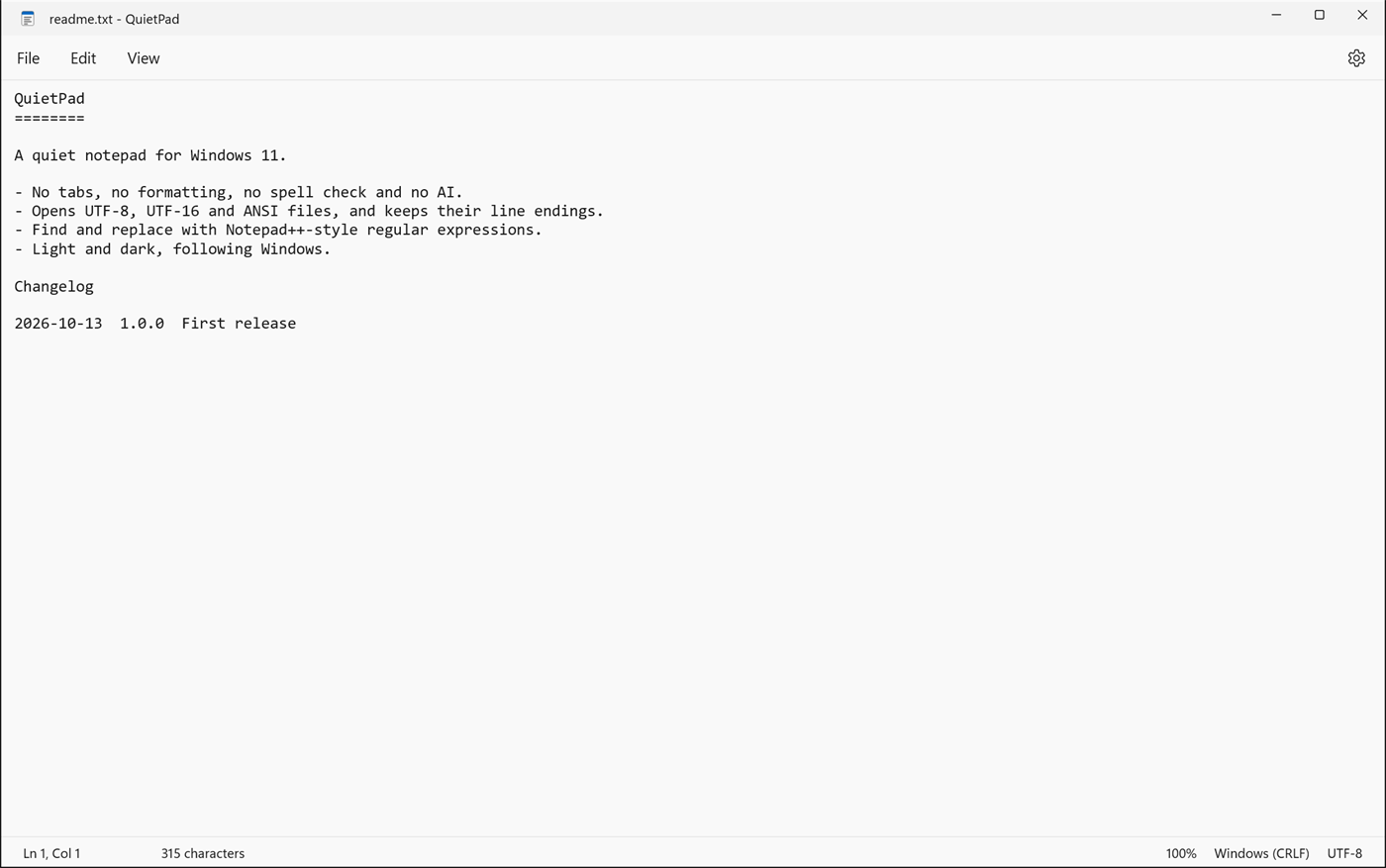
Only what a notepad needs
Small and quiet
Three short menus and nothing else: no toolbars, no ribbons, no pop-ups and no suggestions. Just your text and a status bar, with nothing in the way.
Notepad++ search
Find and replace with three search modes: Normal, Extended (\n, \t, …) and regular expressions with groups like $1.
Easy on the eyes
Light or dark, following Windows or your own choice. A clear monospaced font out of the box, or any font you like. Line numbers when you need them.
Encodings, kept
Opens UTF-8, UTF-16 and ANSI files with Windows, Unix or Mac line endings, and saves them the way they were. Change either from the status bar.
- tabs
- formatting
- spell check
- autocorrect
- AI
- Bing
- recent files
- account
Search like in Notepad++
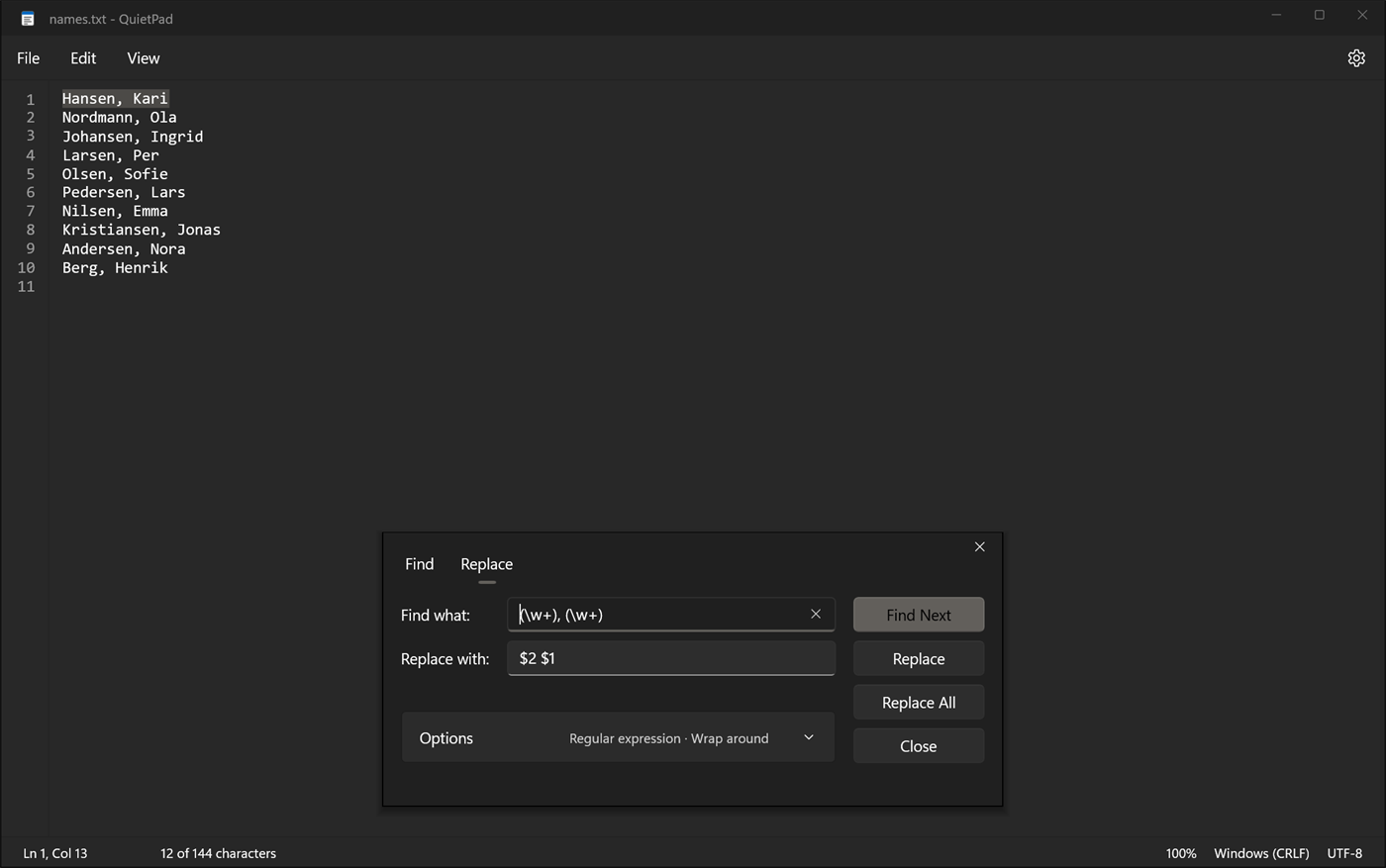
(\w+), (\w+), replace with $2 $1.Installing
- Download the installer above. Most PCs need x64; choose ARM64 for Windows on ARM (Snapdragon).
- The installer isn’t signed yet, so Windows may say “Windows protected your PC”. Choose More info, then Run anyway.
- Optionally add QuietPad to Open with for text and code files. To make it the default for a file type, choose it once under Open with.
QuietPad needs the Windows App Runtime, which Windows 11 usually has already. If it’s missing, the installer downloads it from Microsoft. Uninstall from Settings › Apps.
Questions
Is there a Notepad for Windows 11 without AI or Copilot?
Yes. QuietPad is a free notepad for Windows 11 with no AI features, no Copilot and no Microsoft account. It has the familiar File, Edit and View menus and looks like Windows Notepad.
How do I get a Notepad without tabs on Windows 11?
QuietPad has no tabs: each file opens in its own window, like the classic Notepad. You can make it the default for .txt and other text files with Open with, without registry changes or workarounds.
How is QuietPad different from Notepad++?
QuietPad has the same three search modes as Notepad++ (Normal, Extended and Regular expression) and the same replacement syntax, such as $1 for groups. It leaves out tabs, plugins, toolbars and syntax highlighting, and looks like a Windows 11 app.
Is QuietPad free?
Yes. QuietPad is free to download and use.
Does QuietPad send any data?
No. QuietPad has no telemetry and no account. The only network request is an optional update check, at most once a day, which downloads a small file listing the latest version. It can be turned off in Settings.
Does QuietPad need administrator rights?
No. QuietPad installs for the current user only, so it works on PCs where you are not an administrator.
Which versions of Windows does QuietPad run on?
Windows 11, on both x64 PCs and ARM64 PCs (Windows on ARM, such as Snapdragon).