New addon puts the optimization GUI for Optimizely Graph back in the CMS
When Optimizely Content Graph was first launched nobody knew exactly what it was going to be, except that it would never replace Search & Navigation. Well, now it's renamed to Optimizely Graph, and starting with CMS 13, it has replaced Search & Navigation.
In the beginning there was no UI for Pinned Results (previously called Best Bets) or Synonyms, but now Optimizely has a Search Management portal that is currently in beta. This portal offers a UI for managing both Pinned Results and Synonyms, but it requires Opti ID. Also, the UI is not inside your CMS, but hidden away in a different portal.
I did not like that it's a different UI, and I do not use Opti ID for my Optimizely site. I wanted my own UI, inside the CMS. So I created it.
Installation
Just install the NuGet package Gulla.Optimizely.Graph.Cms.Ui and add this to your startup.cs:
services.AddGraphCmsUi();For more details, you can have a look at the documentation on GitHub.
Usage
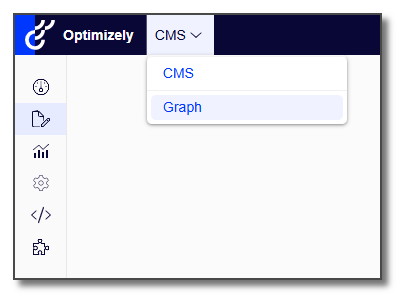
Once installed, you can access the new UI from the global menu, just where the UI for Search & Navigation used to be.
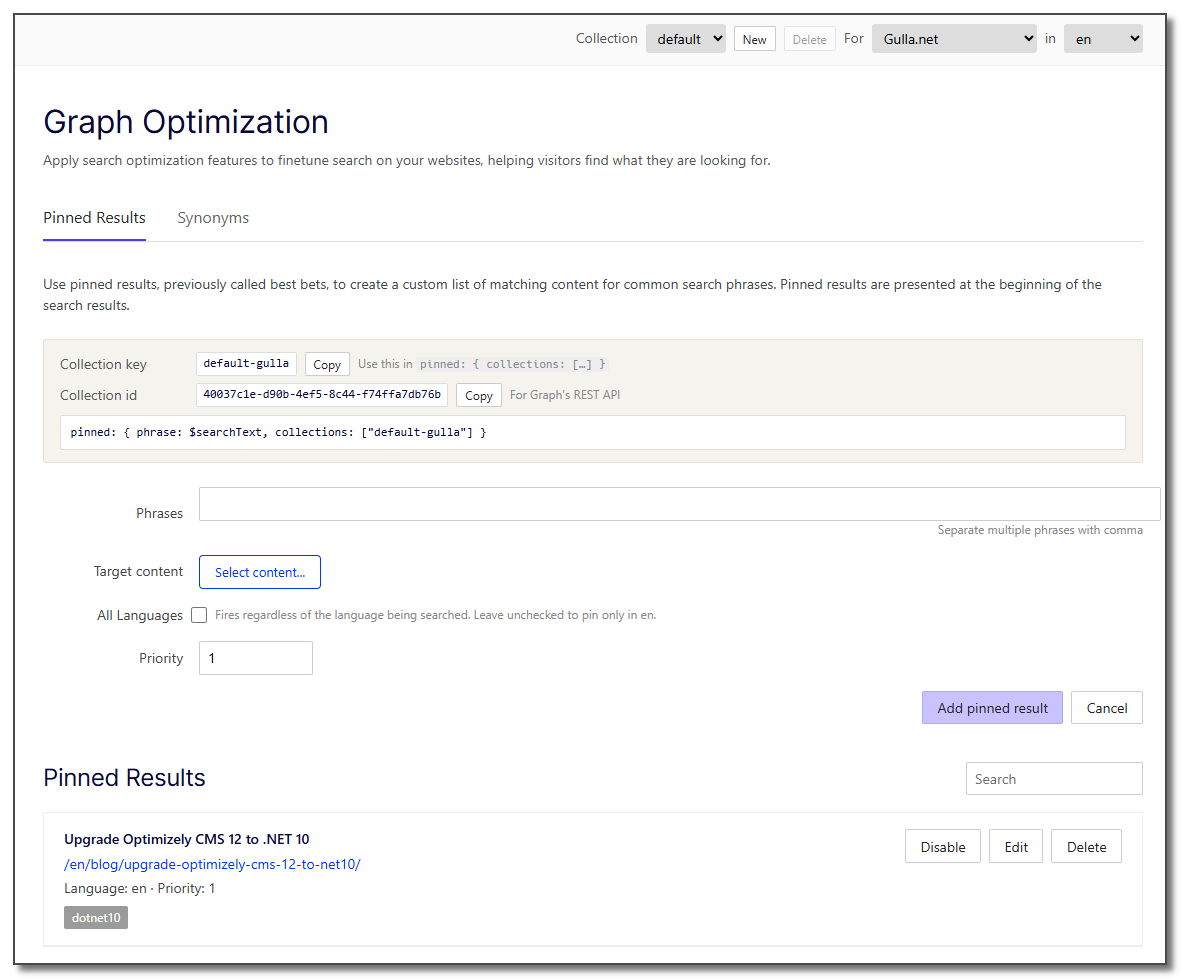
Pinned Results can be added to different collections, allowing you to use separate collections for different scenarios.. You can also have different Pinned Results for different sites and languages.
Be aware, the documentation says you should use the collection ID for referencing a collection. That is wrong. You need to use the collection key. The UI shows both.
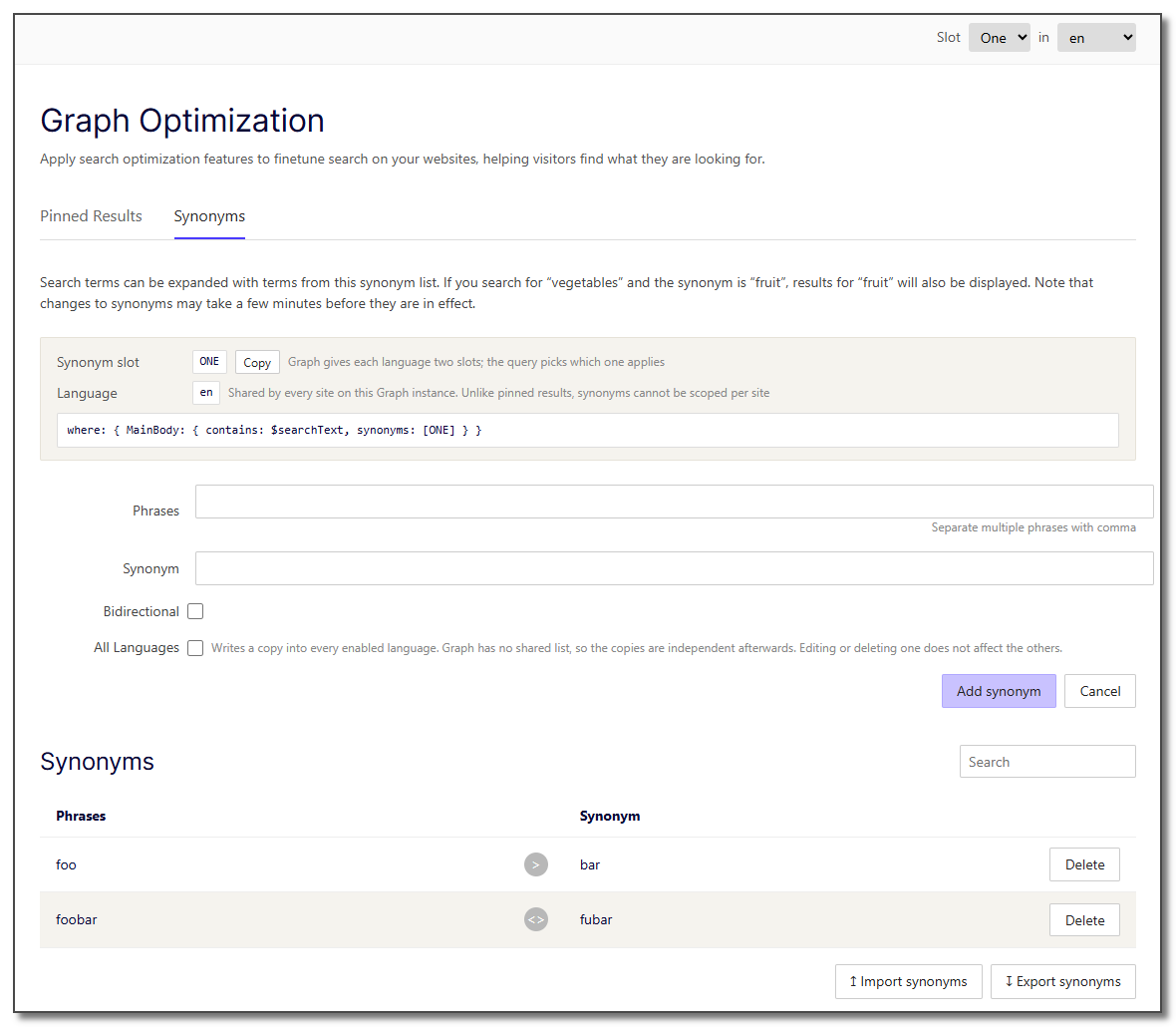
Synonyms can be added to two different slots, slot ONE and slot TWO. You have different synonyms for different languages, but they are shared across sites. You can have one-way synonyms or bidirectional synonyms.
Synonyms may also be exported and imported.
Does this look anything like the beta UI provided by Optimizely, you may ask. I have absolutely no idea. I have not tested their take.